Create Cinematic Photos with Midjourney – A Simple Shortcut to Stunning Shots

If you’ve spent any time experimenting with Midjourney AI, you’ll know that crafting cinematic photos isn’t always straightforward. While the AI is powerful, achieving that polished, movie-like shot often requires a carefully worded prompt filled with details about lighting, camera angles, and artistic styles. It’s a process that can quickly become time-consuming, requiring multiple re-rolls and tweaks just to get one perfect shot.
For many users, this trial-and-error approach is frustrating. You might start with a vision in mind, only for Midjourney to interpret your prompt in an unexpected way. Re-rolling costs time and credits, and even when you do get a result that’s close to what you want, it might lack the dramatic lighting or depth that makes a truly cinematic image stand out.
But what if there was a way to shortcut all of that? A simple method to achieve stunning cinematic images without having to overthink every single detail of the prompt? That’s where the magic of the –sref 853955324 parameter comes in.
The Shortcut to Stunning Cinematic Shots
Midjourney’s –sref feature allows users to apply a consistent visual reference without having to manually specify complex details. Think of it as a style guide that Midjourney follows, ensuring a specific aesthetic across all generated images. The –sref 853955324 setting, in particular, has emerged as a powerful tool for users seeking dramatic, cinematic photography.
With this simple addition to your prompt, you don’t need to specify things like “moody lighting,” “film still,” or “dramatic perspective.” The AI automatically understands these elements and applies them seamlessly. It’s a one-step solution to getting the look of a high-end film shot without the hassle of extensive prompting.
To show just how effective this is, let’s look at five examples where –sref 853955324 turns ordinary AI-generated images into cinematic masterpieces.
The Hockey Player

Without using –sref 853955324, a simple “hockey player in action” prompt might produce a decent image, but it’s often lacking in atmosphere. The lighting may be flat, and the details might not capture the tension of a real game.
With –sref 853955324, the result is transformed. The AI instinctively adds depth-of-field, dramatic rink lighting, and a grainy, film-like quality that makes the image feel straight out of a sports documentary. Shadows fall in just the right places, and motion blur enhances the sense of speed and impact.
PROMPT: ice hockey player --ar 1:1 --sref 853955324 --stylize 750
Formula 1
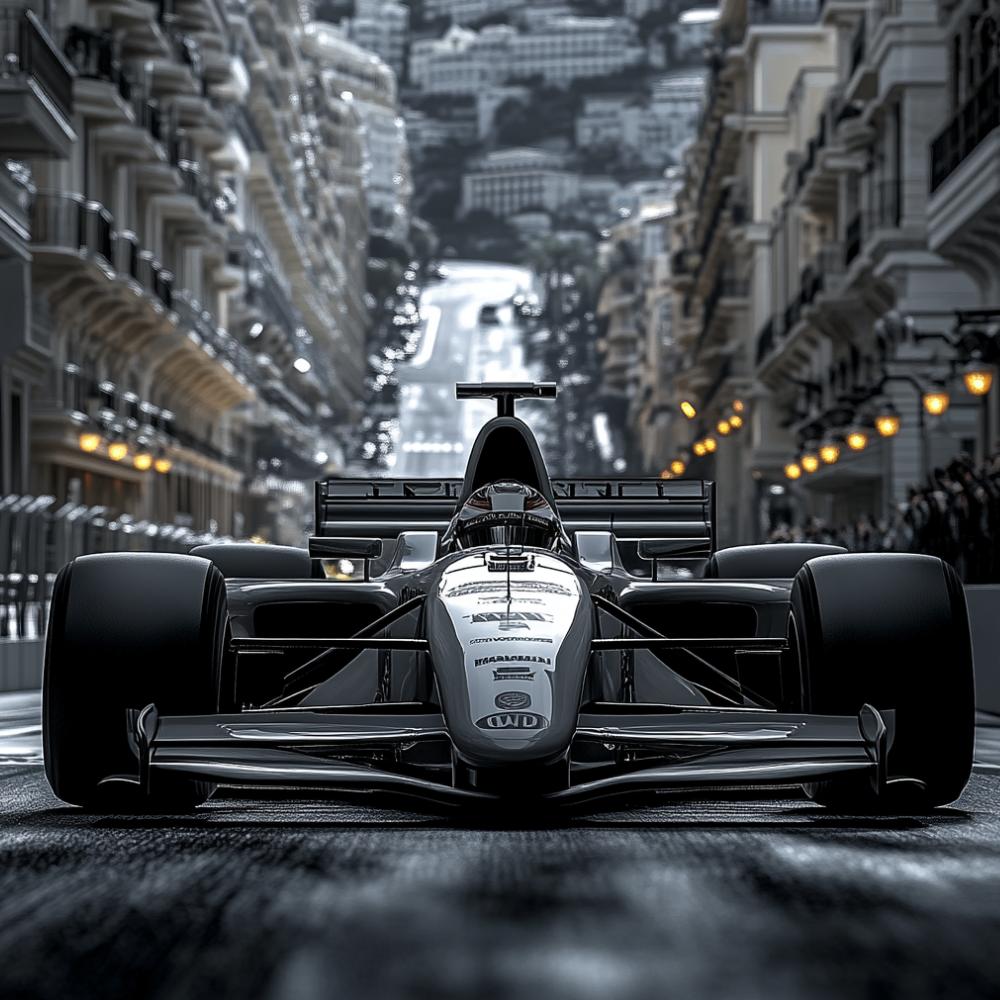
Fast cars and high-speed drama should be an easy ask for an AI image generator, but without careful prompting, Midjourney can produce static, uninspired images. Standard requests for “Formula 1 car on a racetrack” might yield clean but generic results.
Adding –sref 853955324 changes everything. Suddenly, you get dynamic angles, reflections on the track, and the kind of cinematic framing seen in professional sports photography. The AI instinctively understands how to place the car within the frame, add motion effects, and create a sense of raw speed and competition.
PROMPT: formula 1 race car on Monaco circuit --ar 1:1 --sref 853955324 --stylize 750
Cityscape: London
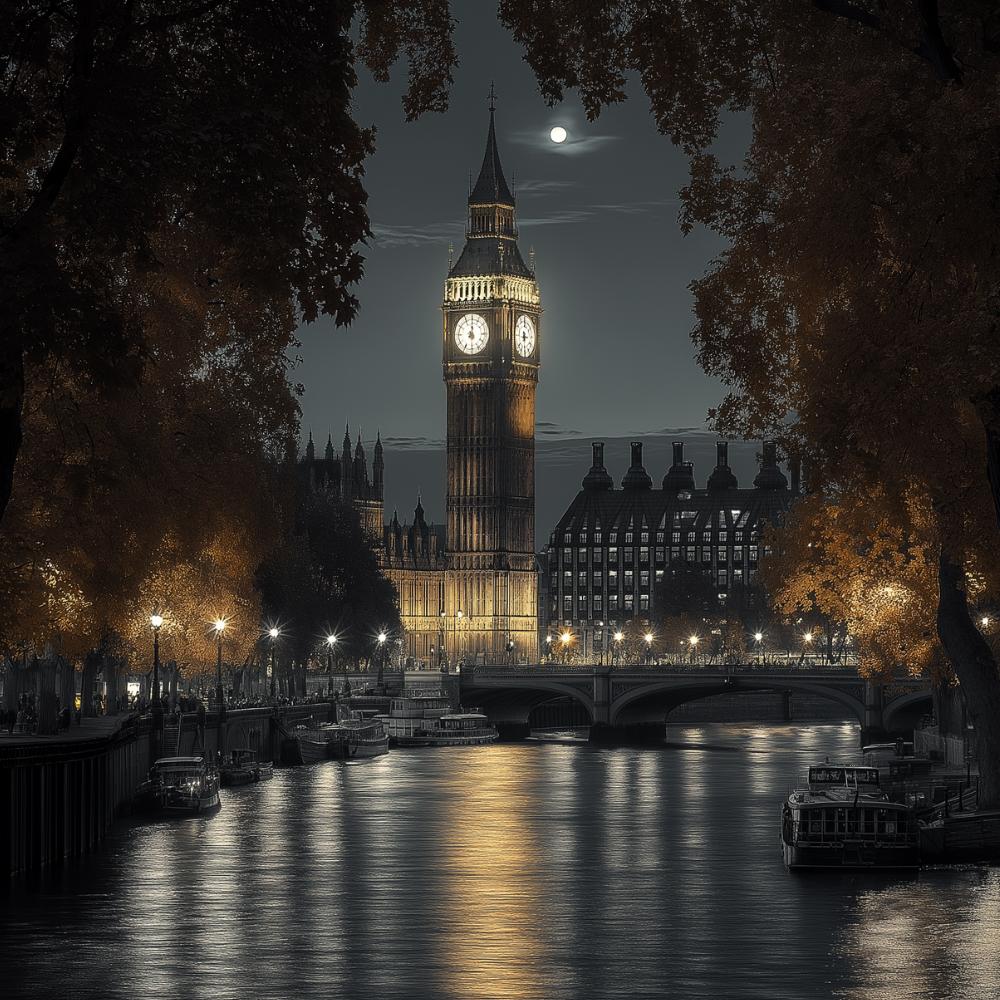
Cityscape prompts often suffer from a lack of mood. While Midjourney can generate beautiful skylines, they don’t always feel cinematic. The lighting might be too even, and the perspective might not emphasize depth or contrast.
By including –sref 853955324, the AI produces breathtaking results: fog-draped bridges, golden-hour reflections on the Thames, and deep contrast that makes the city feel alive. The images evoke the kind of cinematography seen in films set in London, whether it’s a high-paced thriller or a nostalgic drama.
PROMPT: big ben london --ar 1:1 --sref 853955324 --stylize 750
1930s Detective
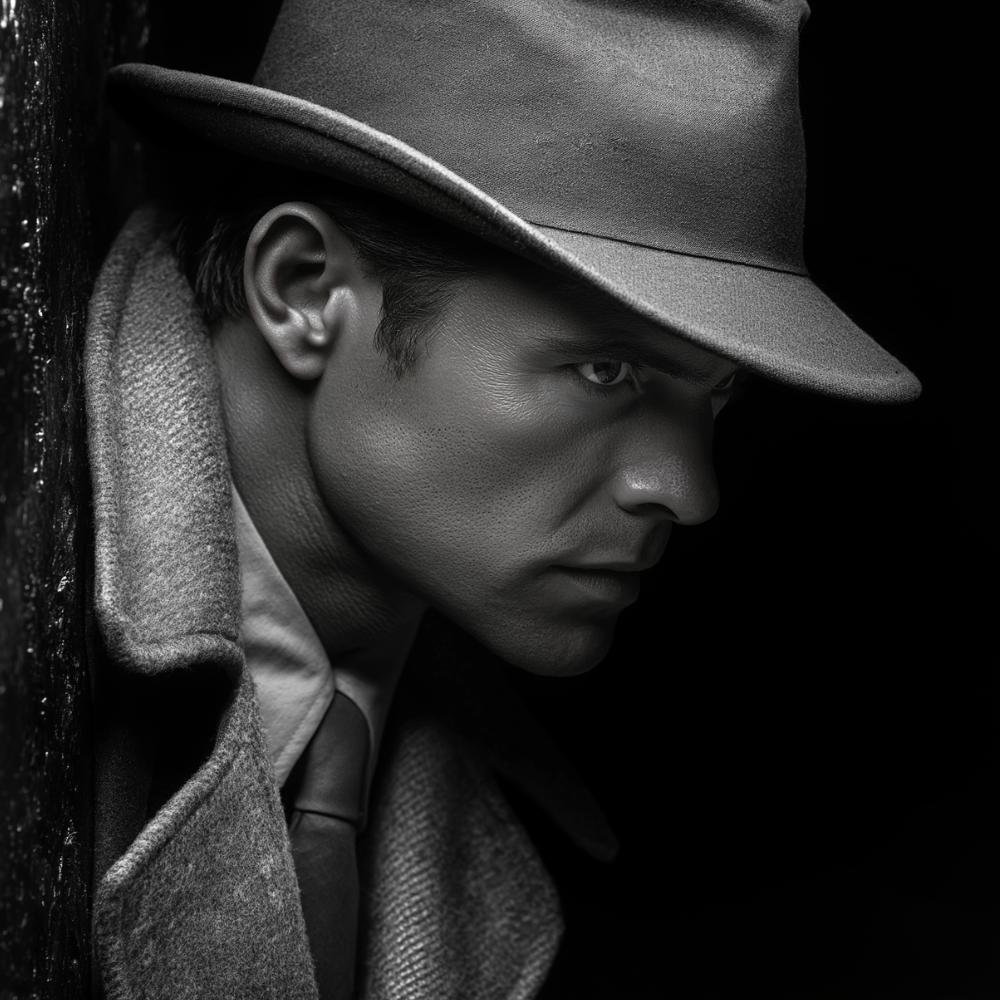
Vintage noir-style images can be tricky to perfect with Midjourney. Without explicit direction, you might end up with an image that captures the clothing but lacks the moody lighting or depth typical of classic detective films.
Using –sref 853955324, the AI instinctively applies shadows, soft glows from street lamps, and a cinematic contrast that makes the detective look like they belong in a Hollywood noir film. The result feels natural, as though shot on an old film camera, complete with subtle imperfections that enhance the realism.
PROMPT: detective from the 1930s looking at a crime scene --ar 1:1 --sref 853955324 --stylize 750
The Ballerina in a Palace
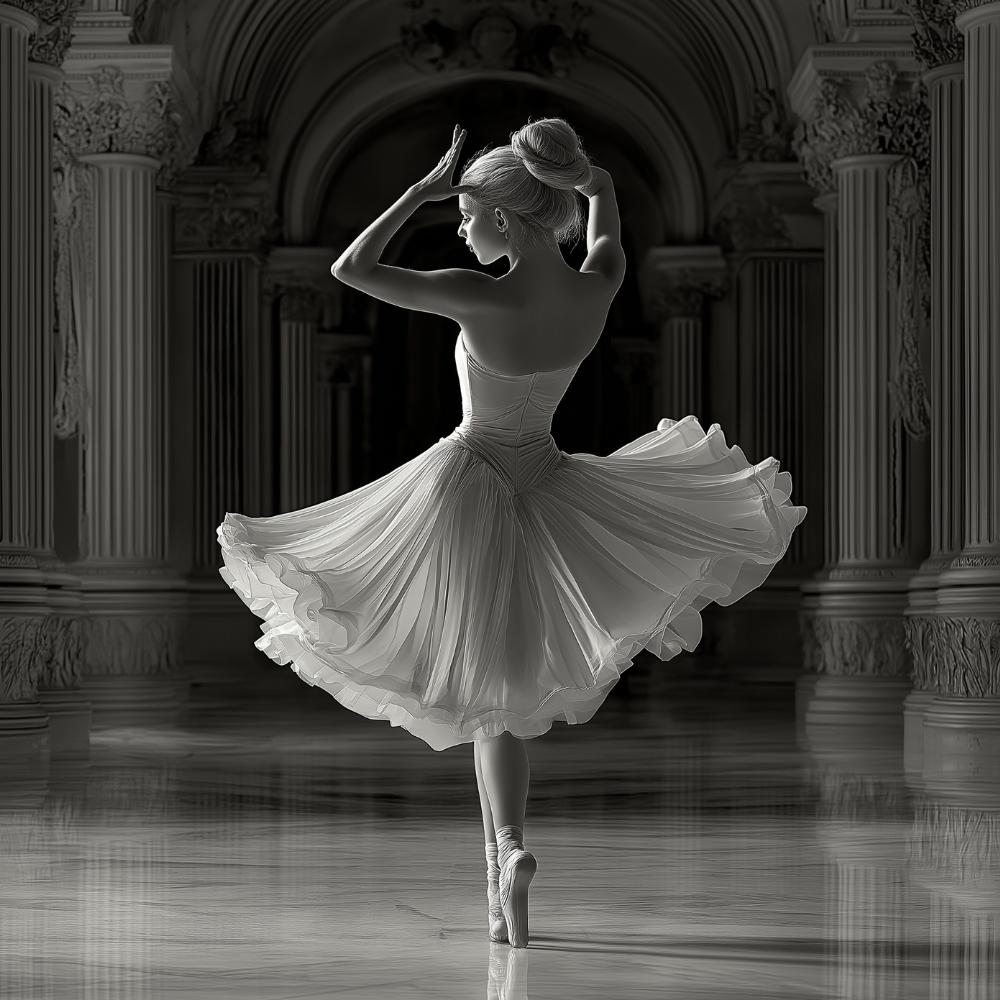
Ballet is often associated with grace and elegance, but capturing that feeling in a cinematic photo can be tricky. Without careful prompting, AI-generated images of ballerinas may lack the depth, drama, or atmospheric lighting seen in classic dance photography.
By applying –sref 853955324, the AI enhances the mood instantly. The result is a striking image of a ballerina dancing in a grand palace, with soft, diffused lighting illuminating the delicate details of her movement. The play of shadows, reflections on polished floors, and the intricate architectural background all contribute to a breathtaking cinematic effect.
PROMPT: ballerina striking a pose in the middle of baroque palace stateroom --ar 1:1 --sref 853955324 --stylize 750
Cinematic Shortcut Worth Using
For anyone who wants cinematic results without spending hours fine-tuning prompts, –sref 853955324 is a game-changer. Instead of specifying every detail manually, this simple reference ensures that Midjourney applies film-like quality, professional framing, and rich atmospheric lighting to every image.
It’s an ideal solution for photographers, designers, and AI artists who want striking visuals with minimal effort. Whether you’re creating sports photography, urban landscapes, or noir-style portraits, this –sref does the heavy lifting for you.
So next time you’re trying to craft the perfect cinematic photos in Midjourney, skip the guesswork. Just add –sref 853955324, and let the AI take care of the rest.